Choosing a Low Vision Magnifier That Fits Your Needs

Adaptive technology continues to advance, with popular software like ZoomText and devices like CCTVs. Yet, handheld magnifiers haven’t kept pace. Though often pictured as classic Sherlock Holmes glasses, today’s diverse magnifiers suit many lifestyles. With so many options, it’s easy to feel overwhelmed. This guide focuses on what matters and helps you find the magnifier that fits your needs.


Understanding the Basics of Magnification

Magnification is the process of making an object appear larger than it is. Power refers to the amount of magnification and is usually represented by an ‘X.’ For instance, 3X means the object appears three times its original size. Even though this may sound straightforward, selecting the right magnification level is not just about choosing the highest number.

Lens curvature is another important factor. A greater curvature results in a shorter focal length (the distance from the lens’s center to the point where the object comes into focus), yielding a higher-power lens. Inversely, a lens several inches wide generally has less curvature, providing a larger viewing area but relatively low power. The main takeaway: lens size and magnification level are not directly related. Even broad-coverage magnifiers may only offer limited magnification (1X to 3X), so choose your tool based on clarity and your reading needs.

While an option may initially seem convenient, it may no longer meet your needs as your vision changes. Many individuals begin with a page magnifier, believing it will eliminate the need to move the device. However, as vision evolves, such lower-powered options may no longer provide enough clarity. You may also find that features such as color and lighting contrast become increasingly valuable.


Common Types of Magnifiers for Low Vision

Now that you have a better understanding of how magnification works, the next step is exploring the different types of magnifiers available. Numerous low vision aids are designed for specific tasks and preferences, and selecting the right one depends on your intended use. Magnifiers typically range from 2X to 10X, are offered in a variety of formats, and are generally handheld or mounted on a stand.


Reading Glasses

Often, the first solution people try is over-the-counter reading glasses (“cheaters”), which are relatively affordable and easy to find. These lenses are in the lower-power range, with magnifications from 1x to 3x. Cheaters help bring small text into focus by magnifying it, making it appear larger.

The catch is that cheaters magnify everything you see through them, not just the text. They’re fine for close-up tasks, but distant objects can look distorted, and using them too much might cause headaches or eye strain. If you’re reaching for cheaters all the time, it’s a good idea to check in with your eye care professional. Bifocal glasses have the advantage of only changing part of your field of view. If you view something through the base of the lens, the text will appear larger or clearer, but if you look through the top of your glasses, objects appear as they would normally.


Handheld, Electronic, and Stand Magnifiers

For more flexibility, handheld magnifiers are great for quick tasks like reading a menu, price tag, or directions on packaging. They are portable and versatile, and often include built-in lighting. If you require additional support, electronic magnifiers use a camera and a screen to magnify, letting you adjust settings like contrast and background color. We often cover these features in adaptive technology training sessions.

When longer periods of reading are needed, stand magnifiers can provide more comfort and stability. They rest directly on the page, keeping the lens at the optimal distance for clearer viewing. Some models are also designed for reading and writing tasks, such as writing checks, signing documents, or taking notes. Often, stand magnifiers include a swing arm, allowing hands-free use and making them perfect for hobbies or longer tasks where comfort and positioning matter.


Monoculars and Binoculars

For distance viewing, monoculars and binoculars function as small handheld telescopes. Both devices help users see objects at distances of 15–30 feet. They allow users to see items such as street signs, menus, and performers more easily. Because they have a smaller field of view, they often require practice and scanning techniques to use effectively.


Key Factors to Consider When Choosing a Magnifier

With so many options, start by understanding your specific needs. The right magnifier is about how it fits into your daily life, not just the device itself.

To help guide your decision, start by asking yourself:

Your answers, combined with guidance from a low vision specialist, can help you find the right mix of tools for your needs. In many cases, using a variety of devices for different tasks is the most effective approach, and insurance may help cover the cost of an evaluation.


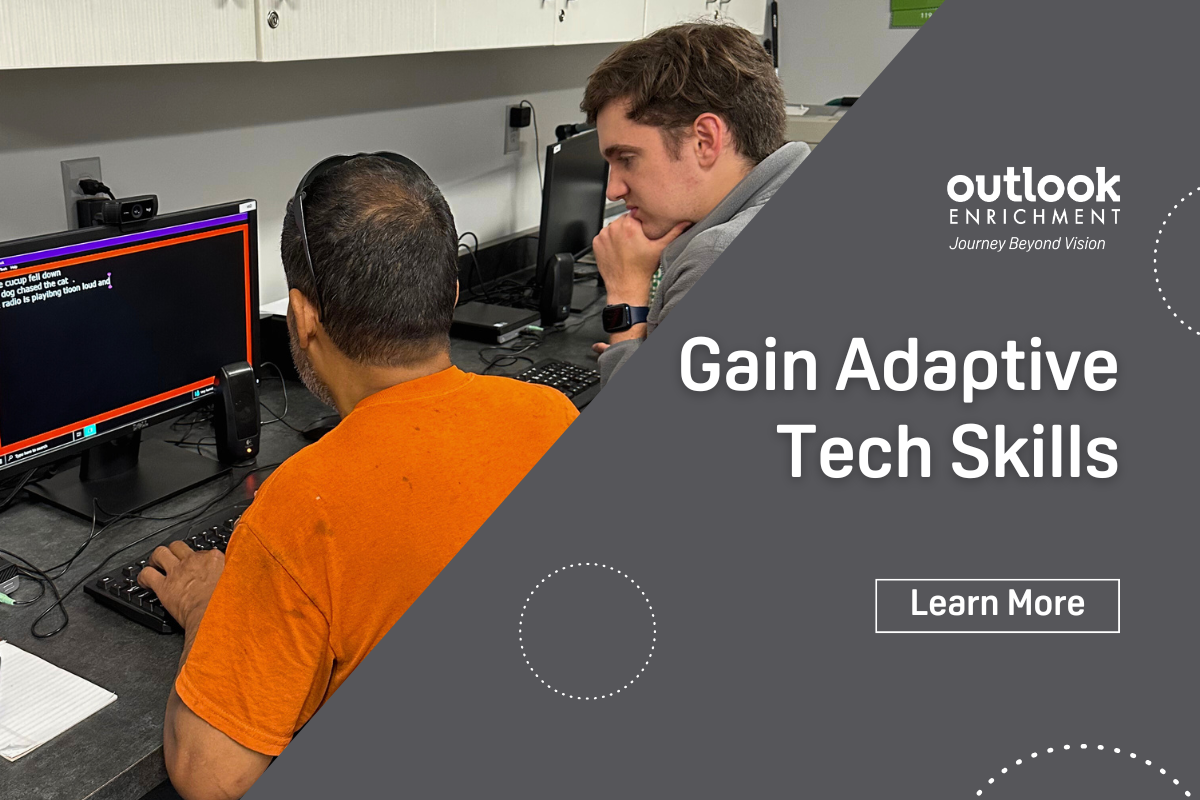
Outlook trainer, Isaac, works with a male client on computer typing skills.


Choosing a magnifier can feel overwhelming, but you don’t have to do it alone. Whether you’re just starting out or seeking better tools, our team can help you find what works and ensure you know how to use it.  Contact us today to connect with a trainer and take the next step toward greater independence.

Getting a Guide Dog with Alex France


In this episode, Alex France shares his journey with retinitis pigmentosa and how he’s adapted as his vision has changed, including his decision to apply for a “running guide dog.”

Now partnered with Marina, Alex shares how she’s become an important part of his day-to-day life. He also discusses the responsibilities of being a guide dog handler, the application process, and how guide dogs differ from using a white cane.

Plus, Janis Compton returns to answer a listener’s question.

Living Life on Her Own Terms: Julie Lintzman’s Story

Julie Lintzman is no stranger to vision loss or to Outlook Enrichment’s programs, but lately, she’s been smiling ear to ear and feeling lighter, with a renewed sense of possibility. We are so grateful to be part of this chapter in her journey. After facing vision loss and a season of overwhelming hardship, Julie made a choice: she would live on her own terms. What followed was a journey of courage, community, and newfound confidence.


Balancing Work, Family, and Vision Loss

Healthcare has always been a part of Julie’s life; she graduated from Immanuel School of Nursing in 1976 and began her career as a rehabilitation nurse. With a rewarding job, a husband, and a son, her life felt full and typical until, at 37, she began to notice changes in her vision.

Years later, Julie would connect with Outlook Enrichment at a health fair at Baxter Arena, but at that time, she was just beginning to understand how much her life was about to change. A visit to the eye doctor led to a diagnosis of retinitis pigmentosa (RP), a chronic eye condition with no cure that can eventually lead to total blindness. RP progresses gradually, and as Julie’s vision declined, the demands of clinical nursing became harder to manage.

For the last 15 years of her career, Julie transitioned into the insurance field, reviewing fraud claims. She admits that coping with these changes was not easy. As her vision continued to decline, her family’s needs only grew. Having spent much of her life as a caretaker, Julie found herself losing touch with her own well-being while supporting her husband through chronic health challenges and her son through mental health struggles.


Finding Community During Life’s Hardest Season

To fill her own cup, Julie became a regular participant in Outlook Enrichment’s art workshops, finding both creativity and connection. But another obstacle soon appeared. Living outside public transportation routes meant she relied on her husband for rides, and as his health worsened, her options for transportation became increasingly limited.

She adapted by finding ways to escape without leaving her home, such as doing yardwork and reading books. During the height of COVID-19, Julie also became a familiar face in our virtual programming. She joined the Audiobook Club and virtual game nights, often the first to log on and the last to leave. Even through a screen, she found community.

As her husband’s health declined and he began requiring full-time care, the weight Julie was carrying grew heavier. Without reliable transportation or support, daily life became increasingly difficult to navigate as her vision loss progressed. When her husband entered hospice care, Julie made the difficult decision to relocate to an assisted living facility.

In a short span of time, her son was incarcerated, her husband passed away, and she was diagnosed with cancer, requiring radiation treatments. It was a year filled with grief and challenges. Yet Julie has survived the storm, and in the aftermath, she has made space for something new: joy.


At 71, Julie Embraces a New Chapter

Today, Julie is 71 years old, and she wears it as a badge of honor. Last summer, she stepped far outside her comfort zone. A recent party patio ride was, in her words, “the best time I can remember having in a long time.” Axe throwing? “A hoot.” She even pedaled 10 miles on a tandem bike ride. Her perspective has shifted in a powerful way, “I’m going to live my life the way I want to now, and I’m not looking back. My only regret is not starting to do this earlier.

Through Outlook Enrichment’s peer support groups and recreational activities, Julie has begun to recognize just how capable she is. She enjoys asking questions about adaptive technology, working through issues with her smartphone, meeting new people, and receiving encouragement to try public transportation.

My favorite activity is riding MOBY. I don’t know what I was always so scared of. I tend to overthink things and focus too much on the pros and cons. Turns out there really are no cons besides maybe having to wait a little while, but I’ve got nothing but time. I don’t even mind being the last one dropped off, I’d like to ride around all day,” she shared.


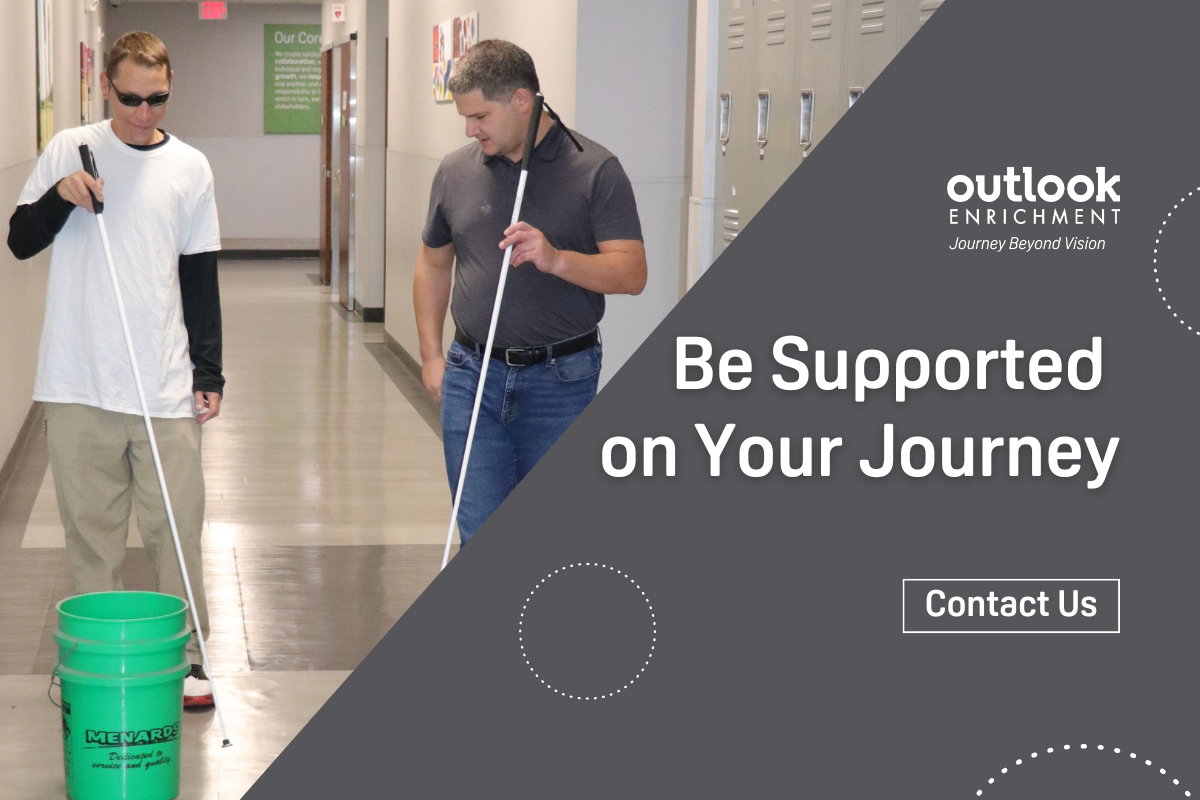
A male client practicing cane travel with a male trainer. "Be Supported on Your Journey - Contact Us."


With the support of the Outlook team and the community she has built, Julie has come to an empowering realization: if others who are blind or visually impaired are out doing things, she can do them too. Here’s to the beginning of many new adventures, bigger smiles, and lasting memories. Julie, we are so proud of you.

If you or someone you know could benefit from Outlook Enrichment’s programs and services, we would love to connect and explore how we can help support your goals.

The Early Days of Outlook Nebraska with Janis Compton

In this episode, we welcome Janis Compton, a well-known figure in the history of Outlook Nebraska. As the organization’s first receptionist, Janis wore many hats, stepping in wherever she was needed and helping lay the foundation for what Outlook has become today.

She shares a glimpse of her role, reflects on Outlook’s early days, and discusses what makes it such a special place to work. Janis also gives us an update on what she’s up to now and a few of her favorite hobbies that keep her busy.

Understanding the Difference Between Assistive and Adaptive Technology

Individuals with disabilities often depend on various tools to enhance their independence and participation in everyday life. In discussions about accessibility, two terms frequently arise: assistive technology and adaptive technology. While these terms are sometimes used interchangeably, this blog outlines their key differences and explains why that distinction matters as technology becomes more inclusive.


What is Assistive Technology?

According to the Assistive Technology Industry Association (ATIA), assistive technology refers to any item, system, or product used to improve the functional capabilities of individuals with disabilities. These tools are not always explicitly designed for individuals with disabilities; often, they are popular products that can be repurposed or modified for accessibility.

Common examples of assistive technology include:

These technologies not only offer everyday convenience but also play a vital role in supporting independence.


What is Adaptive Technology?

Adaptive technology is considered a subcategory of assistive technology. The key distinction lies in intent and design: adaptive technology refers to devices or equipment created specifically for individuals with disabilities. These are tools that someone without a disability would not typically use.

Common examples of adaptive technology include:

Adaptive technologies are often key to enhancing quality of life, as they provide the tools individuals with disabilities need to engage in learning, working, and living independently.


Outlook trainer, Isaac, works with a male client on computer typing skills.


As mainstream technologies increasingly incorporate built-in accessibility features, the line between assistive and adaptive technologies is blurring. Voice control and magnification tools, once considered specialized, are now common features on smartphones, tablets, and computers. This shift represents progress toward a more inclusive future.

If you or someone you know is seeking recommendations for accessibility or adaptive technologies, Outlook Enrichment is here to help. Call us at 531-365-5051 to learn more about our programs or to get personalized recommendations.

Jingles and the Age of AI with Fred Tubiermont

In this episode, we welcome Frederick (Fred) Tubiermont, founder of AI JINGLEMAKER, the creative mind behind the many jingles you’ve heard on our show. Frederick brings a unique perspective to the conversation, combining creativity, technology, and a diverse background.

We dive into the evolving world of generative AI and how it’s being used across industries, from music and coding to accessibility. Fred shares his journey into AI, how he launched AI JINGLEMAKER in 2023, and the future he envisions for AI, from driving innovation to helping users stay relevant by embracing its potential.