Is Your Website ADA Compliant? A Guide to Accessibility for Blind & Low Vision Users

Your website is often the first impression people have of your organization, whether they’re seeking information or looking to make a purchase. But if your site isn’t accessible, you could be unintentionally excluding members of your audience, especially individuals who are blind or visually impaired.

While website accessibility is a legal requirement under the Americans with Disabilities Act (ADA), it’s also about building trust, inclusion, and equal access. In this blog, we’ll break down why digital accessibility matters, provide practical tips for a user-friendly layout, and outline how to enhance your multimedia and interactive elements to ensure a better experience for all.


Why Accessibility Matters for Blind & Visually Impaired Users

Millions of Americans are blind or have significant vision loss, and this number is expected to continue growing as our population ages. These users rely on adaptive technology to browse the web, including:

With users who are blind or visually impaired relying on these technologies, your website must adhere to the Americans with Disabilities Act (ADA) standards and the Web Content Accessibility Guidelines (WCAG). To be ADA compliant, a website should be:

Beyond legal compliance, accessibility also offers marketing advantages. A well-structured, accessible site can naturally improve your search engine optimization (SEO) by increasing visibility in search rankings and enhancing the user experience, which in turn reduces your bounce rate.

Suppose you’re a federal agency or a federally affiliated organization, such as Outlook Nebraska. In that case, you’re also required to meet the Section 508 standards of the Rehabilitation Act of 1973, which ensures equal access to digital information for both employees and the public. Fortunately, creating a compliant and inclusive experience often starts with something simple: your website’s layout.


Designing a User-Friendly & Accessible Website Layout

A well-organized website layout is one of the essential foundations for digital accessibility. For users who are blind or visually impaired, especially those navigating with screen readers or keyboards, your site’s structure determines how easily they can find and interact with content. Below are some features to implement.

Use Proper Heading Structure                                                                     

Organize your content with a clear heading hierarchy (H1 for page titles, H2 for section headings, H3 for sub-sections, etc.). This structure enables screen reader users to quickly scan and navigate your site, just as sighted users do. And don’t forget to be mindful of text spacing.

Incorporate Color Contrast

Ensure there’s enough contrast between your background and text. Light gray on white, for example, can be hard to read. Use contrast checker tools to confirm readability. WCAG requires a contrast ratio of at least 4.5:1 for normal text and 3:1 for large text.

Offer a Responsive Design

While not required, offering the ability to resize text is a valuable accessibility feature, especially when paired with responsive design. It allows users to zoom in or adjust font sizes without breaking your site’s layout or functionality. Responsive design ensures that your content, images, and interactive elements remain consistent and accessible across all devices and screen sizes.

Use Clear, Descriptive Link Text

Providing clear and descriptive links is especially important for calls to action. Long URLs can be confusing and difficult to navigate, especially for users of screen readers. Instead, try using concise text that explains exactly where the link leads. Consistent hyperlink styling, such as underlining or bold formatting, can also help users with low vision more easily identify clickable links.

With your layout in place, the next step is to ensure that visual and interactive elements are equally accessible.


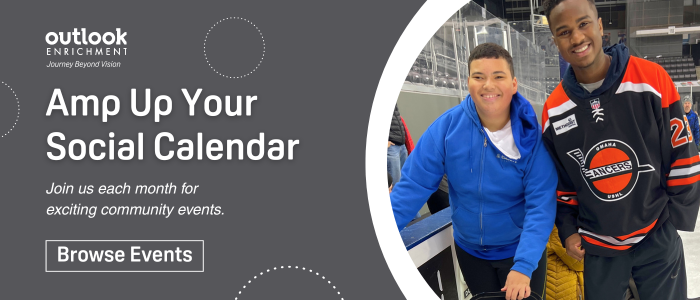
Photo of a youth man with a male Lancers hockey player smiling. Text: "Amp Up Your Social Calendar - Join us each month for exciting community events - Browse Events."


Best Practices for Accessible Multimedia & Interactive Content

While layout and structure are essential to accessibility, the visual content on your website also plays a significant role in creating an inclusive user experience.

Prioritize Alternative Text on Imagery

One of the most important and widely recognized elements of digital accessibility is alternative (alt) text. Alt text is a short description added to images and graphics that provides context for individuals who are blind or visually impaired. It should be brief, specific, and focused on the image’s purpose. It’s also essential to use proper punctuation, such as capitalization and periods.

Incorporate Captions and Transcripts

In addition to providing alt text for images, it’s essential to ensure that multimedia content, such as videos and audio, is also accessible. This is especially important for individuals who are deaf or hard of hearing, including those who may have secondary disabilities such as vision loss.

While captions may seem similar to alt text, the key difference lies in their visibility. Alt text is only accessible to screen reader users, whereas captions are visible to all viewers. Captions help display spoken dialogue, identify speakers, and can include sound effects or background noise.

For audio-only content like podcasts or interviews, always include a transcript. Transcripts provide users with the option to read instead of listen, and are particularly useful for screen reader users or individuals who process information more effectively visually. A complete transcript should include speaker identification, time stamps, and more.

When it comes to video content, consider offering audio descriptions, a narration that explains important visual elements to provide context, identifies speakers, and describes visual elements. Audio descriptions are critical for users who are blind, visually impaired, or have a cognitive disability.

By including captions, transcripts, and audio descriptions, you’re ensuring equal access to information while enhancing the user experience for all, regardless of disability or personal preference.

Simplify Forms and Surveys

Avoid using themes with poor color contrast, as it can be difficult for users to read. When creating forms, include a clear title, number each question, label fields, and organize content into labeled sections to help users navigate more easily, especially when forms are longer.

Consider which question types are easiest to complete without a mouse. For example, drop-down options may be less accessible than checkboxes or radio buttons. All forms should be fully navigable using a keyboard, allowing users to move between fields and submit responses without the need for a mouse.

Limit Moving Elements

Avoid unnecessary moving icons or page animations. If movement is essential to your design, always provide a clear and easy way to pause or stop the animation.

If you’re unsure where to start, consider partnering with a web developer experienced in accessibility or exploring online training courses to alleviate the pressure and ensure your site meets current accessibility guidelines.


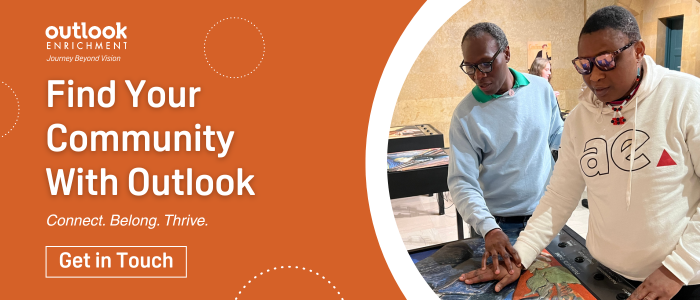
"Find Your Community With Outlook. Connect. Belong. Thrive. Get in Touch." Photo of a man guiding a woman at a tactile art event.


While tools like WAVE and axe DevTools can provide a general overview of your website’s accessibility, nothing compares to feedback from someone who regularly uses adaptive technology.

At Outlook Enrichment, our trainers can evaluate your site using tools such as screen readers and accessibility features to help identify potential barriers and offer practical recommendations to move your site closer to full accessibility.

Have questions about ADA compliance or how to create a more inclusive digital experience? We’re here to help. Click here to get in touch.

The Power of Adaptation in Recreation & Life

In this episode, we’re joined by Dr. Michael Messerole and Glen Wragge from the University of Nebraska at Omaha’s School of Health and Kinesiology. Both have played a key role in shaping Outlook Enrichment’s Adaptive Recreation Program.

They share the creative challenges and rewarding moments they’ve encountered while working with youth who are blind or visually impaired, and how these experiences have reshaped the way they teach, plan, and think about inclusion in physical activity.

We’re also joined by Keli O’Dell, a machine operator at Outlook Nebraska who has been part of our team for seven years. Born with cataracts that led to lifelong low vision, Keli opens up about his journey and what working at Outlook has meant to him personally and professionally.

How Outlook Is Changing Lives Through Vision Rehabilitation & Employment

Vision Rehabilitation Week falls in June, a time to spotlight the millions of Americans navigating vision loss and the powerful services that help them live fuller, more independent lives. At Outlook, we witness every day how the right tools, training, and opportunities can transform lives. Vision loss may alter how someone experiences the world, but it doesn’t have to limit their independence, confidence, or sense of purpose.

Together, Outlook Nebraska and Outlook Enrichment offer a full spectrum of programs designed to employ, educate, and empower individuals who are blind or visually impaired. We’re on a mission to redefine what’s possible.


Understanding the Need for Vision Rehabilitation

More than 12 million Americans age 40 and older live with some form of vision impairment, a number expected to double by 2050 (JAMA Ophthalmol, 2016). Despite these growing numbers, awareness of vision rehabilitation remains low, with less than 5% of those who could benefit from these services receiving them (VisionServe Alliance, 2025).

Vision loss can significantly impact daily life, affecting everything from emotional health and mobility to employment, independence, and social connections. Without proper support, individuals often face higher risks of depression, isolation, and unemployment. 28.9% of working-age people with vision impairment report being unable to work compared to just 6.3% of those without vision impairment (VisionServe Alliance, 2023). These numbers highlight a significant gap in services and a compelling opportunity to make a meaningful difference. With the right support systems, individuals can regain their independence and improve their quality of life.

Vision rehabilitation refers to a comprehensive range of services that help individuals with vision loss adapt to daily life, maintain their independence, and continue to participate in the activities they love. These services are essential for reducing dependence on others, improving overall well-being, and increasing employability and financial independence.


Building Confidence Through Community & Skills Learning

At Outlook Enrichment, we’re committed to helping individuals who are blind or visually impaired realize they can do more than they ever imagined. Our six core programs — adaptive technology, independent living, recreation, arts and culture, work readiness, and health and wellness — are designed to support individuals at every stage of their vision loss journey. They are essential components of vision rehabilitation.

One of the things that makes Outlook Enrichment special is that our trainers are blind or visually impaired themselves. They bring empathy and experience to their work, showing participants what’s possible and creating a welcoming, judgment-free space. Whether someone is learning to navigate a new smartphone, preparing a meal safely at home, staying active with adaptive fitness, or finding joy through art and music, our services help restore confidence and create connections. Every program is designed to empower individuals with practical tools and a strong community, ensuring they not only adapt but also thrive.

Most of our programs are offered free of charge, made possible by the generous support of donations and grants. The only exceptions are recreation and arts and cultural activities, which may include a small fee to help cover materials or admission costs. We rely on the support of our community to sustain these life-changing services and to help raise awareness so that more people know these resources are here when they need them.

“Outlook has become family for me. The support has given me the confidence to accept what’s going on and to be able to be like this out in the world,” says client Samantha Randall.


"Find Your Community With Outlook. Connect. Belong. Thrive. Get in Touch." Photo of a man guiding a woman at a tactile art event.


Creating Fulfilling Career Paths for People With Vision Loss

While Outlook Enrichment equips individuals with essential life and career skills, Outlook Nebraska provides rewarding employment opportunities for those who are blind or visually impaired. Employment is a crucial, often overlooked aspect of the rehabilitation journey, providing individuals with structure, income, and purpose after experiencing vision loss. There’s pride in earning a paycheck, contributing, and being a part of a supportive community of peers who share similar experiences.

That’s why Outlook Nebraska is proud to be a part of the AbilityOne Program. This federal initiative creates job opportunities for people who are legally blind or have other significant disabilities through the sale of products and services. Outlook Nebraska produces SKILCRAFT and Spartan products, including toilet paper, paper towels, and cleaners and disinfectants, which are purchased by the U.S. Government, including the military, federal prisons, national parks, and other agencies.

What makes Outlook Nebraska truly unique is its fully accessible facility, purposefully designed to support its associates. On the manufacturing floor, tools such as audio-equipped machines, 70-inch Human-Machine Interface (HMI) touchscreens, color-coded and textured flooring, and nonvisual box labeling systems help employees navigate and operate machinery with confidence. These features empower more than 75% of our direct labor force, who are blind or visually impaired, to perform their roles effectively and safely. In administrative roles, associates utilize adaptive technology, such as screen readers and closed-circuit televisions (CCTVs), which are popular tools selected based on personal preference.

“Outlook is the reason I get up in the morning,” says associate Josh Scarborough, a U.S. military veteran who has been with the organization since 2011. “This organization provides you with all the opportunities to succeed if you take them.”


Graphic with Outlook associate placing toilet paper into a box. Text: "Culture That Empowers, Work That Inspires - Every role at Outlook contributes to our mission of positively impacting everyone who is blind or visually impaired. Submit Interest Form"


Vision Rehabilitation Week is about more than raising awareness. It’s about taking action. It’s a reminder that vision loss doesn’t have to mean losing independence, opportunity, or connection. Through the life-changing programs at Outlook Enrichment and the meaningful employment opportunities at Outlook Nebraska, we’re empowering individuals to live fuller, more confident lives.

If you or someone you know is facing vision loss, know that support is available, and it works. Request more information about our programs or submit a General Employment Interest Application.


References

Varma, R., Vajaranant, T.S., Burkemper, B., Wu, S., Torres, M., Hsu, C., Choudhury, F. and McKean-Cowdin, R. (2016). Visual impairment and blindness in adults in the United States: demographic and geographic variations from 2015 to 2050. JAMA Ophthalmology, 134(7), pp.802-809.

VisionServe Alliance. (2025). Vision Rehabilitation Week 2025.https://visionservealliance.org/visionrehabilitationweek2025/

VisionServe Alliance (2023). The Prevalence and Characteristics of People Aged 18 to 64 Years with Blindness and Low Vision, United States, 2019, Behavioral Risk Factor Surveillance System, St. Louis.

Making Summer Accessible and Fun With Vision Loss

Longer days, warmer weather, and fresh air, summer is the perfect time to get outside and enjoy everything the season has to offer. Whether it’s planting flowers, firing up the grill, or browsing your favorite farmer’s market, these everyday activities can be both fun and accessible for individuals who are blind or visually impaired. With a few helpful tips and tricks, summer becomes more enjoyable. If you’re looking to explore new hobbies or simply want to make your favorite warm weather routines a little easier, this guide is for you.


Making Outdoor Maintenance More Manageable

Yard care isn’t just about curb appeal. It’s about pride, independence, and getting outside to enjoy the sunshine. With the right setup and tools, activities like gardening and lawn mowing can be manageable.

For gardening, raised garden beds are a great option. They make it easier to reach your plants without having to crouch or kneel. To help with orientation, you can line the edges with tactile markers, such as rope, textured tape, or wooden borders. You can use different shapes, materials, or textures to identify your herbs, veggies, or flowers. Tools like soil moisture sensors provide helpful audio feedback, and ergonomic gloves allow you to feel what you’re working on, preventing injury from gardening tools. While apps like Seeing AI can assist with identifying seed packets by reading labels aloud.

Mowing the lawn might seem challenging, but with a few simple adjustments, it becomes entirely manageable. Try using a self-propelled lawn mower with tactile or labeled controls. Many people who are blind or visually impaired also find success using guiding techniques like laying down rope or stakes to mow in straight lines. Your neighbor might not like it, but some individuals with low vision also allow their grass to grow a little longer. For those looking for a low-maintenance option, robotic lawn mowers are a great investment, especially if you currently rely on outside help. While they can be costly upfront, they offer long-term convenience.


Grill Master Tips for Stress-Free BBQs

Grilling is a summer staple, and while an open flame can be intimidating, techniques exist to ensure your safety when you’re firing up the grill. Start by using grill models with tactile buttons or knobs. If your grill isn’t already equipped with these, try adding bump dots to mark key settings, such as “on/off” or specific temperature zones. The same concept applies to labeling condiments and seasonings.

When it comes to checking food, a talking meat thermometer can take out the guesswork and help you grill to perfection. For added safety, wear heat-resistant gloves and use long-handled tongs to keep a comfortable distance from the flames. Grill baskets are also a helpful addition, keeping food organized and easier to manage on the grill surface.


Planning for Outdoor Adventures

From concerts and farmers markets to park picnics and community events, summer is full of opportunities to explore. With a little planning and the right resources, transportation and navigation don’t have to be barriers.

If you don’t drive, there are still several ways to get where you want to go:

Once you arrive, adaptive tech can help you confidently navigate outdoor spaces. Try these tools:

You can also call ahead to events or venues to inquire about accessibility accommodations, such as guided tours or ADA seating. Planning your route and having your go-to tools ready can make any summer outing smoother and more enjoyable.


Photo of a group of individuals at a peer support group meeting. Text: "Be Supported on Your Journey."


Summer should be filled with freedom, joy, and connection, and vision loss doesn’t have to limit your experience. From gardening and grilling to navigating your favorite community events, there are more ways than ever to enjoy the season safely and independently.

Do you have a favorite summer tip or tool that we didn’t mention? We’d love to hear about it! Connect with us to share.

Over a Decade of Dedication at Outlook With Kenny, Drew, & James

In this episode of Outlook On-Air, we’re joined by Kenny Blackman, Drew Zander, and James Harvey, three longtime associates who have each been part of the Outlook Nebraska team for over a decade. They share their personal and professional growth journeys, the sense of community they’ve found here, and how working at Outlook has helped them regain independence in their daily lives.

Meet Mo Crawford: Outlook Nebraska’s 2025 Peter J. Salmon Associate of the Year

Outlook recognizes several associates yearly for embodying our organization’s core values and culture. This year, it was a win for all of us to hear that Mortel “Mo” Crawford is our 2025 Peter J. Salmon Associate of the Year. Mo’s journey is one of resilience, determination, and finding joy in every chapter of life. From overcoming life-altering challenges to building a career and a life full of passion and purpose, Mo inspires everyone he meets. We’re proud to share his story, a powerful reminder of how your mindset can change your life.


Facing the Unthinkable & Finding a New Way Forward

In 2019, Mortel began working at Mama’s Kitchen after earning his degree in culinary arts. However, small businesses, particularly restaurants, faced significant challenges during that time, and Mo found himself seeking a new career opportunity. That’s when he joined Outlook Nebraska as a temporary associate on our manufacturing floor to help meet the rising demand for toilet paper due to the pandemic. Mo was an essential part of our team during that busy year, and we quickly recognized that he was someone we wanted to keep on board. Finding a hard worker is important, but discovering someone who can brighten a room and improve the atmosphere just by being himself is rare.

Mo’s journey with vision loss began when he was 24 years old. After a long day laying sod at work, he often enjoyed a typical evening hanging out with friends and playing dominoes. On one of those evenings, he decided to run to the liquor store. As he exited the store, gunshots rang out, believed to have come from a green car, but Mo couldn’t see where they originated. Tragically, what he witnessed in the parking lot that night would be the last thing he ever saw.

Mo woke up about a month later in a rehabilitation center, unable to walk, talk, or see. Although losing any of these abilities was devastating, the most excruciating part for him was the shock therapy treatment used to help him regain his voice. He endured several months of rehabilitation, undergoing a series of electric shocks, each session feeling like a trip to hell. Eventually, he could whisper, and with time, he regained his ability to talk. Unfortunately, regaining his eyesight wasn’t an option.


Mo’s Journey to Independence & Culinary Success

“I sat around the house for at least a year, angry at the world, wondering why this had to happen to me.”

Mo had gone from being fully sighted to completely blind without any preparation, forcing him to start fresh. While attending monthly counseling sessions with his counselor from the Nebraska Commission for the Blind and Visually Impaired was a good start, going to their training center in Lincoln would be a more beneficial option. Although he was just becoming comfortable in his own home, the thought of being “dropped” at an unfamiliar location in Lincoln for cane travel training was daunting. The push to face uncomfortable situations made Mo realize he had the strength to make a comeback.

Before he knew it, he made trips to the local grocery store and hailed cabs back to the training center faster than any of his peers. With a mix of sounds, smells, and ingredients he gathered from the store, Mo began serving up crowd-pleasing meals. People lined up when he announced his special of the day over the intercom, and his food quickly disappeared.

After completing his training in Lincoln, Mo started taking culinary classes. He laughed as he recalled how Metropolitan Community College had likely never worked with a blind culinary student before his arrival. His vision loss made everyone nervous, as the college feared it might be dangerous. It took a combination of Mo learning the ropes and his instructors adapting their teaching methods to help him complete his degree. It was a new challenge for everyone involved.

During that semester, students were challenged to create an omelet while wearing sleep shades. Mo confidently claimed he was the top chef in that competition, producing a better omelet than the head chef. To this day, breakfast remains his favorite meal to cook. The combination of eggs, bacon, sausage, and hash browns is always mouth-watering.


Finding Joy in All Life Has to Offer

Before losing his eyesight, he hadn’t experienced the pride of creating something with his own two hands. He learned that careful preparation and precise measurements were essential for producing sturdy and stable objects. Mo hopes to one day have his garage filled with tools to handcraft furniture and other creations. There is no doubt that whatever he sets out to achieve, he will succeed.

We have observed him applying the same logic at Outlook during recreational and sporting events. If the initial technique is correct, it leads to success in adaptive sports such as axe throwing, bowling, beep baseball, paddleboarding, CrossFit, and even mechanical bull riding. These activities are Mo’s favorite part of working at Outlook. On weekends, you might find him tandem bike riding, taking a cemetery tour on Ollie the Trolley, or floating down the river on an innertube. Mo enjoys participating in Outlook’s Christmas parties, town hall meetings, and annual company retreats. It is truly a pleasure to have him at any event.

After facing and overcoming various challenges, Mo has much to be proud of. He has learned to be comfortable in public, navigate the city, earn a degree, and thrive in a new job, regardless of the position. Talking about his family brings him the greatest joy. Over the past year, he has reconnected with his son’s mother, gotten engaged, become the primary income earner, and provided a home and car for his fiancée and 15-year-old son. Three months before he was shot and lost his vision, Mo had the opportunity to see his newborn son, Mortel “MJ” Junior, for the first time. Mo’s fiancé and son have their own health challenges, but with him in their lives, they have a great example of how to keep their heads up and push forward. Congratulations Mo!

“Make sure you tell them MJ is taller than me now. He was just a premie when he was born. I could hold his whole body in my hand. Now he’s strong and bigger than me.”


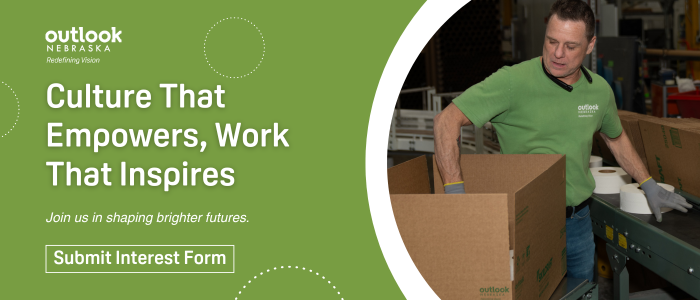
Graphic with Outlook associate placing toilet paper into a box. Text: "Culture That Empowers, Work That Inspires. Join us in shaping brighter futures. Submit Interest Form."


Whether taking on a new hobby, building a life with his family, or simply brightening a coworker’s day with humor, Mo reminds us that life’s greatest moments are often found in how we respond to adversity. We are grateful to have Mo as part of the Outlook family. His impact reaches far beyond his daily work; it lives in the spirit of every associate, volunteer, and program participant he encounters. Congratulations again, Mo, on being named our 2025 Peter J. Salmon Associate of the Year.

To learn more about Outlook Nebraska and how you can be part of our mission, please fill out our contact form.